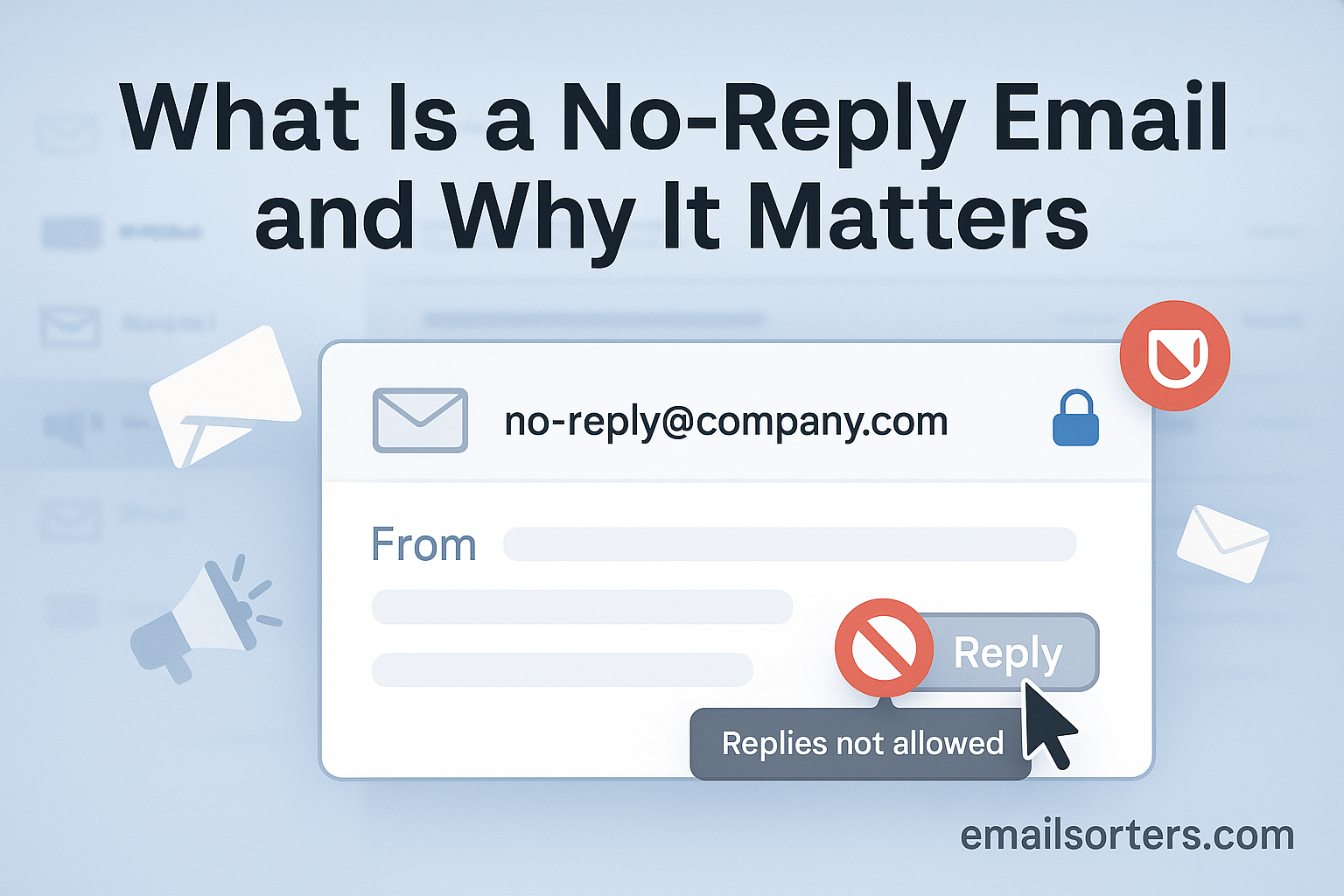
Ever received an email from an address like [email protected] or [email protected]? You probably have. They pop up for order confirmations, shipping alerts, password resets, and all sorts of automated notifications. You might glance at the sender, get the info you need, and move on.
But have you ever needed to reply to one of those emails? Maybe you had a question about the order, a problem with the password reset, or noticed an error in the notification. You hit “Reply,” type out your message, send it off… and nothing happens. Maybe you get an automated bounce-back message, a mailer daemon error, or maybe just silence. It feels like shouting into the void.
That, in a nutshell, is the problem with “no-reply” email addresses. They’re a common practice, but they represent a one-way street in a world that thrives on two-way communication. While companies often use them thinking it saves time or hassle, using a no-reply address can actually cause significant problems – for their customers, for their email deliverability, and even for their brand reputation.
In this guide, we’ll dive deep into what a no-reply email address actually is, why companies use them (often based on flawed logic), and the critical reasons why you should almost never use one for your own communications. We’ll also cover practical, effective alternatives that keep communication channels open without overwhelming your inbox.
What Exactly Is a “No-Reply” Email Address?
A no-reply email address (like [email protected]) is an email address that is not monitored and cannot receive incoming messages. Businesses often use them for automated notifications, mistakenly thinking it reduces workload, but it harms deliverability, frustrates customers, and misses valuable feedback opportunities. It’s essentially a send-only mailbox designed to discourage or block replies.
Think of it as a digital P.O. Box with the mail slot welded shut. Mail can go out, but nothing can come in. When a company sends an email from a noreply@ address, they’re sending a clear signal: “We sent you this information, but we do not want to hear back from you at this address.” Any attempt to reply is usually met with silence or an automatic failure notification.
The Anatomy: noreply@, donotreply@, etc.
The most common format is [email protected], but you’ll see variations like:
[email protected][email protected][email protected](Sometimes used this way, though less clear)[email protected]
Regardless of the exact prefix, the function is the same: it’s an address configured not to accept incoming emails. This setup is a deliberate choice made by the organization sending the email.
How It Works Technically (Or Doesn’t Work for Replies)
Technically, a noreply@ address is usually set up in one of a few ways on the email server:
- Non-Existent Mailbox: The address
noreply@might simply not correspond to an actual mailbox on the server. When someone replies, the receiving server can’t find where to deliver it and sends back a bounce message (often from the Mailer-Daemon) saying the user doesn’t exist. - Unmonitored Mailbox: An actual mailbox might exist, but nobody ever logs in or checks it. Emails arrive but are never seen or acknowledged.
- Automatic Deletion Rule: The server might be configured with a rule that automatically deletes any email sent to the
noreply@address immediately upon arrival.
In all cases, the result for the sender is the same: their reply goes nowhere meaningful, and the communication channel is effectively shut down. This stands in stark contrast to standard email practice, which inherently assumes a two-way conversation is possible. Learn more about the technical details of email addresses here.
Historical Context: Why Did noreply@ Become Popular? (The Flawed Logic)
Why did companies start using these one-way streets in the first place? The practice became common as automated emails (like system notifications, bulk marketing messages) surged. Companies faced a genuine challenge: how to handle potentially thousands of replies, many of which might be out-of-office messages, bounces, or simple “Thanks!” responses cluttering up their main inboxes.
The perceived “solution” was the noreply@ address. The logic, although flawed, went something like this:
- Reduce Inbox Noise: “If we send from
noreply@, we won’t get flooded with useless auto-replies or simple confirmations.” - Discourage Unnecessary Contact: “This email is just a notification; people shouldn’t need to reply to it.”
- System Limitation (Excuse): “Our automated system can send emails, but we haven’t configured it to receive them.”
While the desire to manage inbox volume was understandable, especially before sophisticated filtering and helpdesk tools became widespread, using noreply@ was a blunt instrument that prioritized internal convenience over customer experience and effective communication. As we’ll see, the downsides far outweigh any perceived benefits.
Why Do Some Companies Still Use No-Reply Addresses? (Common Misconceptions)
Companies often use no-reply addresses to avoid managing incoming replies to automated messages, believing it saves time. They might also use them for system alerts where they think a reply isn’t needed, mistakenly believe it looks more “official,” or assume their system technically cannot handle replies.
Despite the well-documented downsides, you still see noreply@ addresses frequently. Why haven’t they disappeared? Often, it boils down to outdated practices, inertia, or a misunderstanding of how email communication and customer perception actually work. Let’s break down the common justifications companies give – and why they’re usually misguided.
Misconception 1: “It Reduces Inbox Clutter and Saves Time”
This is the biggest driver. Companies sending thousands or millions of automated emails (like shipping notifications or password resets) worry about being swamped by replies. They fear a flood of out-of-office messages, auto-replies, simple “thank you” notes, or actual questions that would require staff time to handle. Using noreply@ seems like an easy way to just turn off the noise.
The Reality: While it might reduce immediate visible clutter in one specific inbox, it often increases workload elsewhere. Customers who have a genuine issue but hit a dead end with noreply@ will simply find another way to contact support – flooding phone lines, creating duplicate tickets through website forms, or complaining on social media. It doesn’t eliminate the need for support; it just makes the customer’s journey more frustrating and potentially shifts the burden to more expensive support channels. Furthermore, modern email systems and helpdesks have robust filtering and automation tools that can easily manage this influx without resorting to a noreply@ address.
Misconception 2: “Replies Aren’t Necessary for This Type of Email”
Some companies believe that certain transactional emails (like a simple delivery confirmation or a password reset link) are purely informational and don’t require a reply path. “Why would anyone need to reply to this?” they reason.
The Reality: Users often do need to reply, unexpectedly. A shipping notification might arrive just as the customer realizes they entered the wrong address. A password reset email might fail, requiring them to report the issue. An order confirmation might contain an error they need to correct immediately. Blocking replies assumes the initial communication was perfect and covers all possible user needs, which is rarely the case. It prevents customers from easily resolving issues directly related to that specific communication.
Misconception 3: “It Looks More Formal or Official”
Less commonly, some organizations might feel that a noreply@ address seems more “official” or “system-generated,” perhaps creating a sense of authority or discouraging casual responses. They might think it sets a boundary.
The Reality: It doesn’t look official; it looks impersonal and unhelpful. In an era where customer engagement and two-way communication are highly valued, a noreply@ address signals that the company doesn’t want to hear from its customers. It creates distance and damages the brand’s image, making it seem inaccessible and uncaring, rather than formal or authoritative. Using clear, specific addresses like support@ or billing@ looks far more professional and organized.
Misconception 4: “Our System Can Only Send, Not Receive”
Sometimes, the technical team might claim that the system generating the automated emails (like an old CRM or a specific notification tool) is only configured to send outgoing mail and lacks the capability to process incoming replies.
The Reality: While this might have been true for some legacy systems years ago, it’s rarely a valid technical limitation today. Modern email infrastructure and sending platforms are designed for two-way communication. Even if the specific application generating the email can’t process replies directly, it’s almost always possible to configure the sending email address (e.g., [email protected]) as a valid, monitored mailbox on the main email server (like Google Workspace or Microsoft 365). Claiming a technical limitation is often an excuse masking a reluctance to allocate resources for monitoring replies.
Understanding these misconceptions highlights that the decision to use noreply@ is usually based on prioritizing internal convenience (often mistakenly) over customer experience and effective communication practices.
7 Critical Reasons to Stop Using No-Reply Emails Immediately
Stop using no-reply emails because they kill your email deliverability (triggering spam filters), create terrible customer experiences, block valuable feedback, can violate anti-spam laws (like GDPR/CAN-SPAM), damage your brand’s reputation, reduce engagement, and represent missed opportunities for connection.
Reason 1: It Destroys Your Email Deliverability
No-reply addresses severely impact your ability to reach the inbox. Email service providers (ESPs) and spam filters view them as a signal of low-quality, one-way communication that discourages interaction.
How noreply@ Triggers Spam Filters
Spam filters often look for signs of a legitimate sender, and a lack of a monitored, valid reply address is a red flag. When recipients are unable to reply to an email—even just to say “This isn’t relevant”—they are more likely to hit the spam complaint button, a far more damaging action. In fact, consistently sending from a noreply@ address is a common cause for being marked as spam, alongside issues related to your email domain.
Impact on Sender Reputation Score
Your sender reputation score is critical for email delivery. If you discourage replies, your engagement metrics suffer, lowering your score. ISPs like Gmail and Outlook prefer to see two-way conversation. When an email client sees replies to your emails, it positively reinforces your reputation, ensuring future emails don’t end up in the spam folder.
Emails from noreply@ addresses have significantly lower open rates and higher spam complaint rates than those from a monitored address like hello@ or support@
Reason 2: It Creates a Terrible Customer Experience
A noreply@ address sends a clear, negative message: “We don’t want to hear from you.”
Frustration When Help is Needed
Imagine receiving an important notification—perhaps a security alert or an update about a pending order. If the recipient has a simple, urgent question and the sender’s address is noreply@, their only path is to leave the email, navigate to your website, hunt for a contact page, and possibly open a separate support ticket. This unnecessary friction is a major source of customer frustration.
The Feeling of Being Ignored
Using a no-reply address makes your customer feel like an account number, not a valued individual. In the digital age, customers expect immediate, seamless communication. Blocking a simple reply diminishes your customer service and erodes loyalty.
Trying to reply to a noreply@ shipping notification about a lost package was incredibly frustrating. I was forced to spend twenty minutes hunting for the correct support email, which only compounded the stress of the lost delivery. It turned a minor issue into a major customer service failure simply because the company wouldn’t allow a reply to the original, relevant notification. This issue is why learning how to create an email account for customer service is one of the most important first steps for any business.
Reason 3: You Miss Critical Feedback and Insights
Every email is a potential touchpoint for valuable information. When you use a noreply@ address, you cut yourself off from unsolicited, direct feedback that could improve your product, service, or email strategy.
- Content Errors: Customers can’t easily notify you of typos, broken links, or misleading information.
- Opt-Out Intent: Some recipients who want to unsubscribe, or perhaps just shift from a promotional list to a transactional one, will hit “Spam” if they cannot easily configure email folders or reply with a request.
- Delivery Issues: Users may be trying to tell you they are receiving a Mailer-Daemon message or that your email landed in the wrong inbox.
Reason 4: It Can Violate Anti-Spam Laws (GDPR, CAN-SPAM)
Major anti-spam and privacy legislation requires that recipients have a functional and easy way to contact the sender.
Requirements for Valid Reply Addresses
- CAN-SPAM Act (US): Requires that commercial emails include a clear, easy-to-use “opt-out” mechanism, and while it doesn’t strictly outlaw
noreply@, using one makes compliance more difficult and less consumer-friendly, leading to higher complaint rates. - GDPR (EU): Emphasizes transparency and accountability. While a simple reply is not a mandate, having an easily accessible and valid method of communication is central to the right to rectification and objection, making a
noreply@address questionable in certain contexts. Ensuring you have a valid, monitored reply address is part of maintaining compliance, whether you are using alias addresses or a dedicated support line.
Reason 5: It Damages Your Brand Image and Trustworthiness
A professional brand communicates, it doesn’t just broadcast. Using a noreply@ address is widely viewed as unprofessional and a sign that a company prioritizes its convenience over customer needs. This can be especially damaging for new businesses trying to establish trust. Customers expect a transparent communication channel, and blocking replies immediately breeds distrust.
Reason 6: It Prevents Whitelisting and Reduces Engagement
The most common way for a recipient to ensure your future emails reach their primary inbox is by replying to your email or dragging it into their primary inbox. By forcing a noreply@ address, you prevent recipients from doing the easiest thing possible to “whitelist” you.
Higher engagement—replies, opens, clicks—tells ISPs you are a welcome sender. Lower engagement, partly caused by using a noreply@ address, leads to reduced deliverability over time. This applies to all forms of business communication, including establishing a proper family email account with whitelisting for safety.
Reason 7: It’s a Missed Opportunity for Conversation
The advent of email—celebrating its fiftieth anniversary—was about connecting people. Every email you send is a chance to start a conversation, get a testimonial, or answer a question that might lead to a sale.
Instead of noreply@, use:
Even if this address simply directs to your existing support ticketing system, it gives the appearance and function of an open channel, maximizing the chances for connection and turning a transactional email into a relationship-building one.
Common Examples Where No-Reply is Wrong (And What to Use Instead)
Stop using noreply@ for password resets (use support@ or security@), order confirmations/shipping updates (use orders@ or shipping@), invoices (use billing@ or accounts@), welcome emails (use hello@ or team@), or feedback requests (use feedback@). Always provide a monitored reply path.
Password Resets: Use support@, help@, or security@
Password reset emails are often the most critical and time-sensitive communication a customer receives.
- Why
noreply@is wrong: If a user receives a password reset they didn’t request, or if the link is broken, they need an immediate way to report a potential security issue or get help. Anoreply@address blocks this essential communication. - What to use instead:
[email protected](best for high-security matters)[email protected](a good, reliable fallback)
Order Confirmations & Invoices: Use billing@, accounts@, or orders@
These transactional emails contain financial and contractual details that customers may need to immediately question or clarify.
- Why
noreply@is wrong: The customer might need to:- Question a charge or tax amount.
- Request an invoice change (e.g., adding a VAT number).
- Report a discrepancy in the order details.
- What to use instead:
Shipping Notifications: Use shipping@, support@, or orders@
Once an item is shipped, the customer enters a critical phase where their questions focus on logistics and tracking.
- Why
noreply@is wrong: If the customer sees a wrong address on the confirmation, a delayed delivery date, or a stalled package status, they will reply to the notification email. Blocking this reply forces them to seek help elsewhere, causing unnecessary frustration. - What to use instead:
[email protected](most direct)[email protected](if customer service handles logistics)[email protected]
Welcome Emails: Use hello@, welcome@, or team@
The welcome email is the first and most important relationship-building email you send. It sets the tone for future interactions.
- Why
noreply@is wrong: You are deliberately shutting down the initial opportunity for engagement. Customers often reply with simple questions, or even just a “Thanks!” that helps whitelist your address. - What to use instead:
[email protected](friendly and personal)[email protected][A person's name]@[yourdomain.com](e.g., “jessica@…”) for a more personal touch.
Feedback Requests & Surveys: Use feedback@, surveys@, or hello@
The entire purpose of these emails is to solicit communication from the recipient.
- Why
noreply@is wrong: It’s contradictory. You are asking for feedback while simultaneously telling the customer you won’t accept a reply. Customers may have questions about the survey itself, or they may simply prefer to give their feedback via a direct email response instead of filling out a form. - What to use instead:
[email protected](highly specific and clear)[email protected]
Appointment Reminders: Use support@, appointments@, or a specific team address.
These emails often require the ability to reschedule or cancel with minimum friction.
- Why
noreply@is wrong: If a customer needs to quickly modify their booking or confirm details, a blocked reply forces them through a convoluted process, increasing the likelihood they might simply forget or fail to notify you of a cancellation. - What to use instead:
[email protected][email protected][Team/Department Name]@[yourdomain.com](e.g.,sales@,hr@, etc.)
The Best Alternatives to Using a No-Reply Email Address
Use specific, monitored addresses like support@, hello@, billing@, feedback@, or sales@. Alternatively, use a real person’s email for more personal communication ([email protected]). Setting up filters and auto-responders can help manage the replies efficiently without blocking communication.
Alternative 1: Use Specific, Descriptive, Monitored Addresses
The easiest and most effective alternative is to use a role-based, descriptive email address that clearly indicates the function and is actively monitored. These addresses provide immediate context for the recipient and streamline internal sorting, preventing unnecessary traffic in your main inboxes.
| Category | Recommended Addresses |
| General/Inquiries | support@, help@, info@, contact@, hello@ |
| Sales & Marketing | sales@, marketing@, welcome@ |
| Finance | billing@, accounts@ |
| Orders & Shipping | orders@, shipping@ |
| Feedback/Surveys | feedback@, surveys@ |
| HR & PR | jobs@, press@ |
Alternative 2: Use a Real Person’s Name and Address (Where Appropriate)
For high-touch communication, such as welcome sequences, follow-ups after a sale, or specific outreach campaigns, using an email address tied to a specific individual boosts connection and engagement. This aligns perfectly with the goal of increasing engagement and is far more effective than an impersonal address, especially when email address ideas are focused on professionalism.
- Example: Sending a welcome email from
[email protected]feels personal and encourages a direct, friendly reply.
Alternative 3: Use Role-Based or Team Addresses
For internal communications or large teams, addresses that represent a function or a group are highly effective and prevent reliance on a single person’s inbox.
- Examples:
team@,community@,exec@. These can often be set up as shared mailboxes or distribution groups, allowing multiple accounts to monitor the flow.
How to Efficiently Manage Replies Without Using “No-Reply”
Manage replies efficiently by setting up email filters to automatically sort incoming messages (e.g., route billing questions to billing@). Use auto-responders to confirm receipt and set expectations. Implement help desk software for ticketing, or simply designate specific staff to monitor key inboxes.
Strategy 1: Set Up Smart Email Filters and Rules
Modern email clients (like Gmail, Outlook, etc.) allow you to create powerful rules and filters.
- Automatic Sorting: Set rules to look for keywords like “Invoice,” “Shipping,” “Cancel,” or “Reschedule” and automatically flag, categorize, or forward the message to the correct internal team.
- Prioritization: High-priority inquiries can be instantly routed to a specific folder or given a special tag.
Strategy 2: Use Auto-Responders Effectively (Confirm Receipt, Set Expectations)
An auto-responder is not an excuse to ignore the customer, but a tool to manage their expectations.
- Confirm Receipt: Instantly lets the customer know their message wasn’t lost.
- Set Expectations: “Thank you for your email. We aim to respond within 4 hours. For immediate help, please call us at…”
- Redirection: The auto-response can provide links to your FAQ or support page, which can answer simple questions, reducing the need for a staff reply.
Strategy 3: Implement Help Desk or Ticketing Software
For businesses receiving more than a handful of replies per day, investing in a dedicated help desk system (like Zendesk, HubSpot Service Hub, etc.) is the best solution.
- Consolidated Inbox: All replies to
support@,billing@, and even individual addresses are pulled into one dashboard. - Ticketing: Every email is converted into a trackable ticket, ensuring no inquiry falls through the cracks.
- Team Collaboration: Allows different team members to take ownership of tickets, track response times, and prevent duplicate work.
Strategy 4: Designate Specific Staff/Teams to Monitor Inboxes
Assign clear responsibility for monitoring and responding to each key address (billing@, shipping@, etc.). Even if you’re a small team, knowing who is responsible for which email drafts or replies is essential.
How to Set Up Alternative Monitored Email Addresses
Creating addresses like support@ usually involves your email hosting provider or platform. In Google Workspace or Microsoft 365, administrators can create new user accounts, aliases, or groups for these addresses. Check your provider’s documentation for specific steps on adding new email addresses or aliases.
Basic Steps in Google Workspace (Creating Users, Groups, or Aliases)
- Aliases: The simplest solution. An alias allows you to receive emails sent to
support@in your main inbox (john.doe@). Use this for low-volume addresses. - Groups: Ideal for team monitoring. Create a group for
billing@. Any email sent to the group is delivered to the inboxes of all members, allowing multiple team members to monitor it, much like managing multiple accounts. - Dedicated User Account: Necessary if the address requires its own login, filing structure, and high-volume independent operation.
Basic Steps in Microsoft 365 / Exchange (Creating Shared Mailboxes, Groups, or Aliases)
- Shared Mailbox: The best option for team addresses. Create a shared mailbox like
info@. Multiple team members can be given permissions to access, send from, and manage this mailbox without needing a dedicated user license. - Distribution Group: Similar to a Google Group, this forwards emails to members but doesn’t have an inbox of its own.
- Alias: Can be added to existing user accounts (e.g., mail sent to
contact@lands insarah@'smailbox).
General Steps with Other Email Hosting Providers
- Log into your cPanel or Admin Dashboard.
- Navigate to the Email Accounts or Email Management section.
- Choose to Create New Email Account or Create Forwarder/Alias.
- If creating a forwarder, set the new address (
orders@) to send to an already monitored address (john.doe@).
Is It Ever Okay to Use a No-Reply Address? (Probably Not)
Discussing Potential (Weak) Arguments or Edge Cases
Some companies argue for noreply@ in extremely high-volume, purely programmatic scenarios where a reply is genuinely impossible to action (e.g., a massive server log notification).
- Weak Argument: “It prevents our support team from being flooded with out-of-scope replies.”
- Rebuttal: This is an internal filtering problem, not a communication problem. Using the right tools (filters, ticketing) and the right address (
orders@vs.support@) solves the filtering issue without sacrificing customer experience. Even a purely transactional email can benefit from a monitored address to confirm successful delivery and avoid a Mailer-Daemon error.
Reinforcing Why Alternatives Are Almost Always Better
The negative consequences of using a noreply@ address—lower deliverability, higher spam complaints, and terrible customer experience—almost always outweigh the minor internal convenience of not having to filter replies. In a world where customers demand instant communication, voluntarily blocking a channel is a competitive disadvantage.
Frequently Asked Questions (FAQ)
FAQs include: Can you reply to a no-reply email? (Usually no, it bounces or is ignored). What happens if you do? (See previous). How do I block no-reply emails? (Mark as spam, create filters). Is noreply@ illegal? (It can violate CAN-SPAM/GDPR if no valid reply option exists).
Can you reply to a no-reply email?
Technically, you can hit the “Reply” button, but the reply will almost certainly fail to reach a human. The message will either be automatically deleted, sent to an unmonitored server black hole, or, most commonly, trigger an automated bounce-back message (a failed delivery report) from the email server.
What happens if I reply to a no-reply email address?
You will typically receive an automated message stating the address is unmonitored or invalid. This usually comes in the form of a “Mail Delivery Subsystem” notification, informing you the message was rejected. In rare cases, it might be delivered to an actual inbox but will be ignored.
How can I block no-reply emails if they are spam?
If a noreply@ address is repeatedly sending you unsolicited or irrelevant messages, treat it like any other spam:
- Mark as Spam/Junk: This is the most effective way, as it trains your email provider’s spam filters.
- Create a Filter: You can set up a filter to automatically archive or delete any email where the sender address contains “noreply.”
Are no-reply email addresses illegal?
No-reply addresses are not per se illegal. However, their use can lead to violations of anti-spam and privacy laws if they prevent recipients from exercising their rights. Specifically:
- CAN-SPAM (US): Requires a clear mechanism to opt-out, and using
noreply@often leads to higher spam complaints, which can trigger legal scrutiny. - GDPR (EU): Requires that data subjects have a clear way to communicate with the controller (the sender). If your
noreply@email is the only visible contact, it could be seen as hindering communication and violating transparency requirements.
What’s a good alternative for purely transactional emails?
The best alternative for purely transactional emails (like a “Your order has shipped” notification) is to use a specific, monitored address like [email protected] or [email protected]. This keeps the communication relevant to the transaction, but still allows the customer to reply with urgent questions about their package or delivery address.


