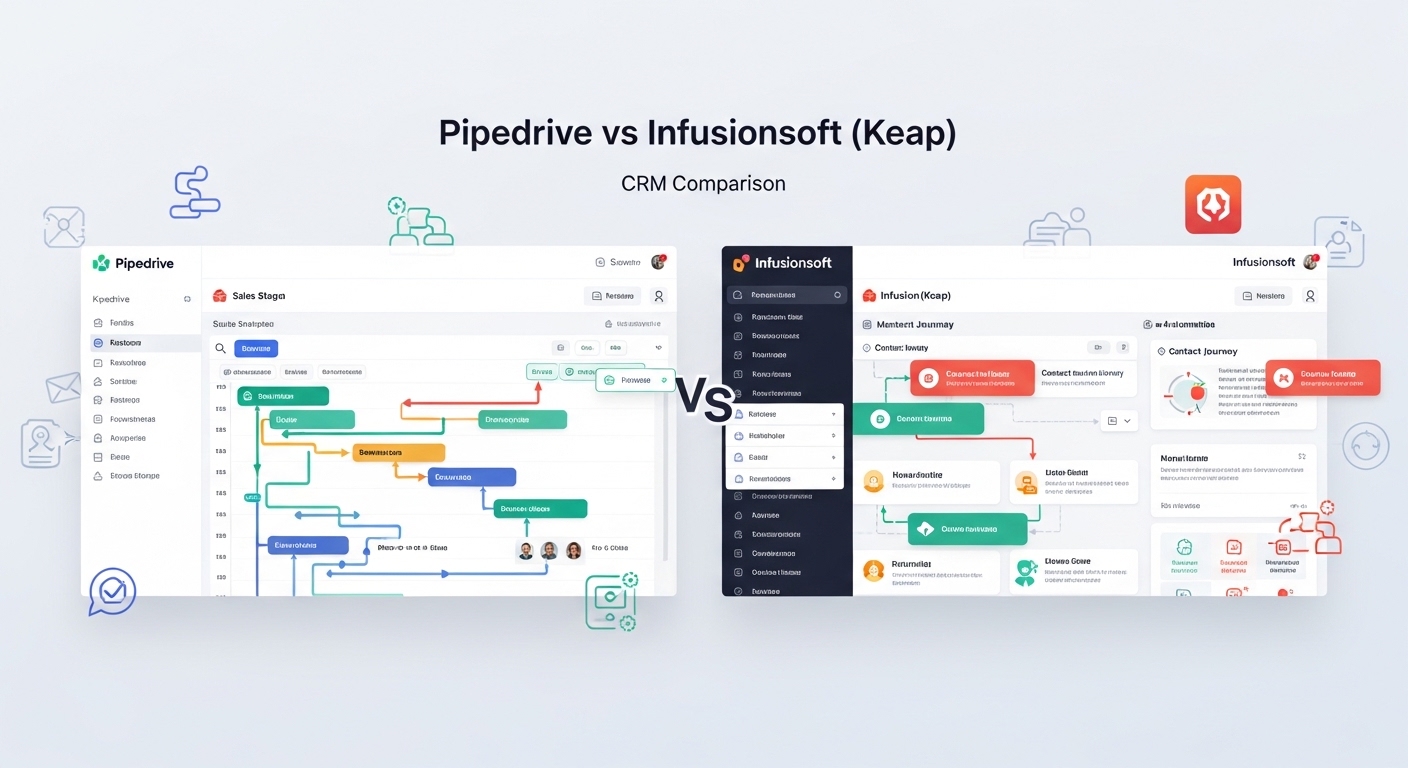
Choosing between Pipedrive and Infusionsoft (now primarily known as Keap) requires an understanding of two fundamentally different operational philosophies. Pipedrive is engineered as a sales pipeline CRM, built specifically to empower sales teams to execute deals with high visibility and minimal administrative friction.
Its focus is on the “middle of the funnel”—the active management of deals and the activities required to close them. In contrast, Infusionsoft (Keap) is a marketing lifecycle automation CRM designed to manage the entire customer journey from initial lead capture to post-sale repeat business.
The decision typically rests on your revenue model and the complexity of your sales vs. marketing needs. If your primary challenge is managing a high volume of manual outreach and moving deals through a visual pipeline, Pipedrive’s execution-first approach is superior.
However, if your business relies on sophisticated, multi-stage lead nurturing, automated email sequences, and integrated e-commerce features to drive revenue, Infusionsoft provides the “all-in-one” infrastructure required. Both platforms have integrated advanced AI to assist with these tasks, yet their core identities remain distinct: Pipedrive for closing deals, and Keap for automating the lifecycle that creates them.
Quick Decision Summary: Pipedrive vs Infusionsoft (Keap)
In the current software landscape, the CRM market has moved away from “one-size-fits-all” solutions. Selecting the right platform requires matching the tool’s core strength to your team’s daily workflow. Pipedrive remains a top choice for sales execution, offering an interface that reps actually enjoy using, which directly impacts CRM adoption and data accuracy. Infusionsoft, through its Keap Pro and Max tiers, serves as a robust engine for revenue operations, combining CRM data with powerful automation triggers that handle the heavy lifting of marketing.
The following table provides a quick decision snapshot based on common business requirements:
| If You Want… | Choose… |
| Simple, visual pipeline sales CRM | Pipedrive |
| Built-in marketing automation & funnels | Infusionsoft (Keap) |
| Fast onboarding and ease of use | Pipedrive |
| Lifecycle email & SMS automation | Infusionsoft (Keap) |
| Sales team focused UI & activity tracking | Pipedrive |
| Integrated payments & e-commerce | Infusionsoft (Keap) |
What Is Pipedrive?
Pipedrive is built on the philosophy that you cannot manage results, only the activities that lead to them. As a pipeline sales CRM, it centers the entire user experience around a visual deal CRM where deals are moved from stage to stage. This philosophy is designed to eliminate “deal rot” by ensuring that every prospect has a scheduled next action. Pipedrive has refined this with AI-driven insights that suggest which deals are most likely to close based on historical patterns.
The primary benefit of this sales execution CRM is its high adoption speed. Sales teams often resist tools that feel like data-entry chores; Pipedrive avoids this by making deal tracking intuitive and fast. It is best suited for B2B companies with medium-to-long sales cycles where sales reps need to stay focused on high-touch relationship management rather than broad-spectrum marketing campaigns. While it has expanded its marketing capabilities through add-ons, its core strength remains its ability to provide 100% visibility into the sales execution process.
What Is Infusionsoft?
Infusionsoft, now operating under the Keap brand, is the architect of the lifecycle automation CRM category. Unlike Pipedrive, which focuses on the deal, Keap focuses on the automated journey. It combines a robust CRM database with a campaign automation CRM builder that allows businesses to map out complex logic-based workflows. For example, if a lead clicks a specific link in an email but doesn’t buy, Keap can automatically trigger a follow-up SMS or assign a task to a sales rep.
This marketing automation CRM approach is designed to support revenue growth by ensuring no lead is ever forgotten. It is particularly powerful for small to mid-sized businesses that lack a massive marketing department but need professional-grade automation. Keap integrates landing pages, lead capture forms, and payment processing directly into the CRM, making it a “business-in-a-box” for entrepreneurs and service-based companies. Its AI Content Assistant further simplifies the creation of these automated touchpoints, allowing users to scale their marketing efforts without increasing headcount.
Pipedrive vs Infusionsoft Core Feature Comparison Across Sales, Marketing, Automation, and Integrations
To understand which tool fits your stack, we must look at how they handle the day-to-day mechanics of revenue operations using this CRM feature comparison.
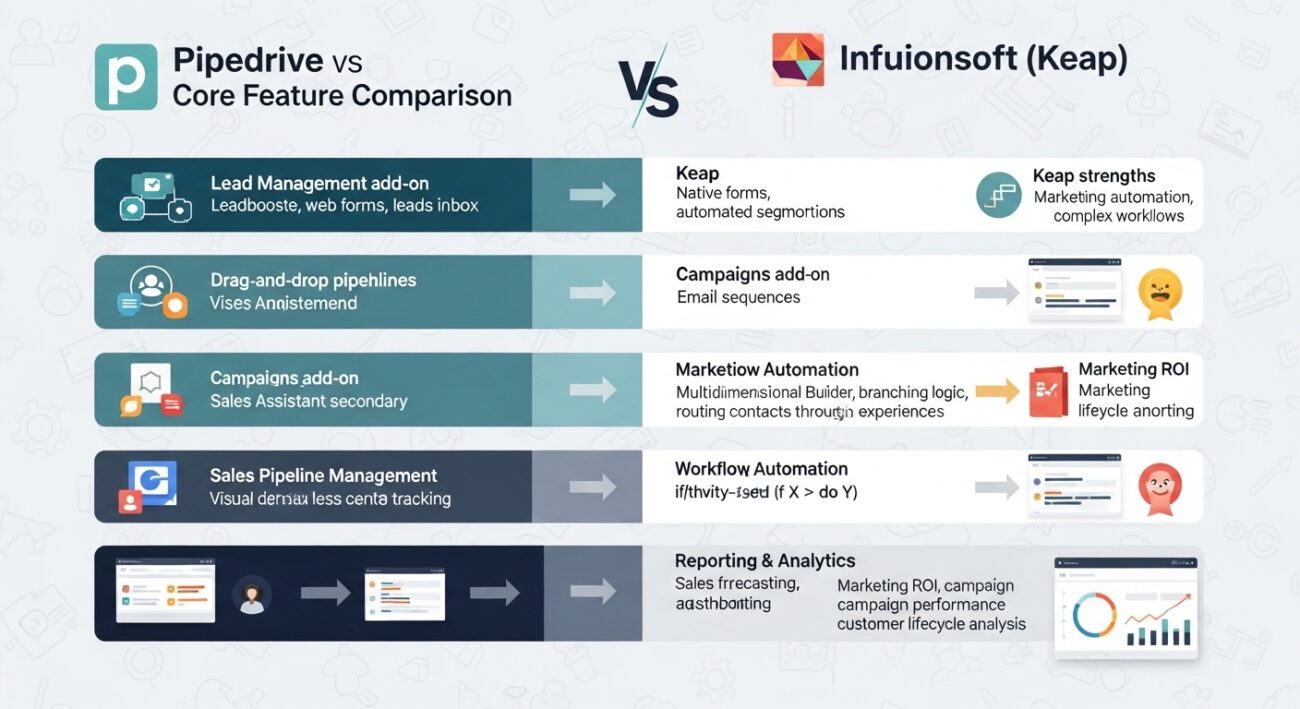
Lead Management
Pipedrive approaches lead management through its Leadbooster add-on, which includes chatbots and web forms that feed directly into the “Leads Inbox.” It is highly effective for qualifying inbound interest. Keap, however, wins on lead nurturing. Its native forms and landing pages are built into the workflow, allowing for immediate, automated segmentation the moment a lead enters the system.
Sales Pipeline Management
Pipedrive is the leader here. Its drag-and-drop interface and Sales Assistant provide a superior experience for reps. Keap offers pipeline management as well, but it often feels like one of many features rather than the primary focus. For teams that live in their pipeline 8 hours a day, Pipedrive’s UI is less fatiguing.
Marketing Automation
Keap is significantly more powerful in this category. Its Visual Campaign Builder allows for branching logic that Pipedrive’s native “Campaigns” add-on cannot match. While Pipedrive can send beautiful email broadcasts, Keap can manage a 12-month automated customer journey based on behavioral triggers, making it a true sales vs marketing automation comparison winner for complex funnels.
Workflow Automation
In terms of CRM automation tools comparison, Pipedrive’s automation is “linear”—if $X$ happens, do $Y$. This is perfect for administrative tasks like moving a deal when an activity is completed. Keap’s automation is “multidimensional,” supporting if/then/else logic that can route contacts through different experiences based on tags, purchase history, or engagement levels.
Reporting and Analytics
Pipedrive excels in sales forecasting and activity-based reporting. It tells you exactly how many calls your team needs to make to hit their quota. Keap provides deeper marketing ROI data, showing which campaigns are actually generating dollars and identifying where the “holes” are in your customer lifecycle.
Pricing Comparison: Real Cost of Pipedrive vs Infusionsoft
The CRM pricing comparison for these two platforms reflects their different target audiences. Pipedrive uses a per-user model, while Keap uses a contact-based model that includes a set number of users.
Pipedrive Pricing Reality
Pipedrive’s entry point is low, starting around $14/user/month (billed annually) for the Lite plan. However, to get the automation and email tracking most teams need, you’ll likely end up on the Growth ($39) or Professional plan ($59).
- CRM Cost Scaling: As you add more reps, the cost scales linearly.
- Add-on Tools: Be aware that features like LeadBooster, Smart Docs, and Campaigns are billed per company, which can inflate the “cheap” starting price quickly.
Infusionsoft Pricing Reality
Keap has a much higher CRM implementation cost. It typically starts around $199–$299/month. This usually covers 2–3 users and 1,500–2,500 contacts.
- CRM Automation Cost: While the sticker price is higher, Keap includes features (landing pages, payments, advanced automation) that would require multiple separate subscriptions if using Pipedrive.
- Setup support cost: Most Keap plans require a one-time mandatory onboarding fee (often around $500) to ensure you set up your automations correctly.
Ease of Use Comparison: Sales Team Adoption vs Automation Setup Complexity
The CRM learning curve winner depends on who is using the tool. Pipedrive is designed for the end-user (the salesperson). Its CRM adoption speed is fast because the learning curve is virtually non-existent; a new hire can be productive within an hour.
Keap has a steeper CRM onboarding complexity because of its sheer depth. Setting up a complex automation sequence requires a strategic mindset and a bit of “logic-gate” thinking. While the modern version of Keap is significantly more user-friendly than the old “Infusionsoft” days, it still requires a dedicated administrator or a “power user” to maintain the complex web of automations.
Automation Power Comparison: Sales Automation vs Marketing Lifecycle Automation
If your goal is sales automation CRM, Pipedrive is excellent. It automates the “busy work”—sending a follow-up email after a meeting or creating a task when a deal moves stages. This keeps the rep focused on selling.
If your goal is marketing automation workflows, Keap is the choice. Its automation goes beyond the sales department into fulfillment, billing, and long-term retention. For example, Keap can automate the process of sending an invoice, checking if it was paid, and then triggering a “Welcome” sequence once the payment clears—all without human intervention. This is why it is often cited in any CRM automation comparison.
Integration Ecosystem Comparison: External Marketplace vs Built-In Marketing Stack
Pipedrive relies on a “Best of Breed” strategy. Its CRM app marketplace features over 500+ integrations (Slack, Zoom, DocuSign). It assumes you have other tools and want your CRM to be the “glue” that connects them.
Keap’s CRM integration ecosystem is built around its internal stack. While it integrates well via Zapier, its value proposition is that you don’t need separate tools for landing pages or email marketing. It is a CRM ecosystem platform that replaces parts of your tech stack, whereas Pipedrive is a component in a larger one.
Which CRM Should You Choose Based on Business Model and Revenue Strategy
Using a CRM selection decision framework, we can identify the clear winners:
Choose Pipedrive for your CRM business model selection if:
- You have a dedicated sales team that needs to manage high-touch B2B deals.
- Your primary lead source is outbound prospecting or manual networking.
- You prefer a CRM revenue workflow selection that relies on a “Best of Breed” software stack.
Choose Infusionsoft (Keap) if:
- You are a small business owner wearing many hats and need the system to “work while you sleep.”
- You rely on inbound marketing, lead magnets, and automated nurturing.
- You want an all-in-one solution that handles CRM, marketing, and payments natively.
When NOT to Choose Pipedrive
Do not choose Pipedrive if you need native, complex marketing automation. While its “Campaigns” add-on has improved, it still lacks the behavioral triggers and branching logic found in dedicated marketing tools. Furthermore, if you require built-in e-commerce or sophisticated payment processing, Pipedrive will feel limited, forcing you to rely heavily on third-party tools.
When NOT to Choose Infusionsoft (Keap)
Avoid Infusionsoft (Keap) if your team is resistant to complex software. If your sales reps just want a simple place to track their calls and notes, Keap’s interface can feel cluttered. Additionally, if your business is in a “high-growth, high-turnover” phase with many new reps, the steep learning curve and high per-contact pricing can become a significant bottleneck.
Final Verdict: Pipedrive vs Infusionsoft by Business Stage and Sales Complexity
The winner is determined by your Operational Stage:
- The High-Activity Sales Team: Pipedrive is the winner. Its focus on pipeline velocity and rep productivity is unmatched for teams focused on closing.
- The Solo-Preneur or Automation-Focused SMB: Keap is the winner. It replaces 3-4 other tools and provides a level of marketing sophistication that Pipedrive simply isn’t built for.
Pro Tip: Many companies use Pipedrive for sales and pair it with a dedicated marketing automation tool. You can see how this compares in our Software Comparisons Hub.
FAQ: Pipedrive vs Infusionsoft CRM Buyer Questions
Is Pipedrive easier to use than Keap?
Yes. Pipedrive is widely considered one of the most intuitive CRMs on the market. Keap has made strides but remains a more complex “all-in-one” system.
Does Keap still go by the name Infusionsoft?
Infusionsoft rebranded to Keap. In the current market, “Infusionsoft” usually refers to the “Classic” version of the software, while most new users use Keap Pro or Max.
Can I send mass emails with Pipedrive?
Yes, but you need the Campaigns add-on. Pipedrive’s core CRM is meant for 1-to-1 sales emails, whereas the Campaigns add-on allows for bulk marketing sends.
Which is better for B2C businesses?
Keap is generally better for B2C, especially those with high lead volumes and automated sales funnels. Pipedrive’s structure is more aligned with B2B deal-making. For other comparisons, check out Zoho CRM vs Pipedrive or HubSpot vs Salesforce.
Is there a free version of either CRM?
No. Both Pipedrive and Keap typically offer 14-day free trials, but neither offers a permanent free tier.


