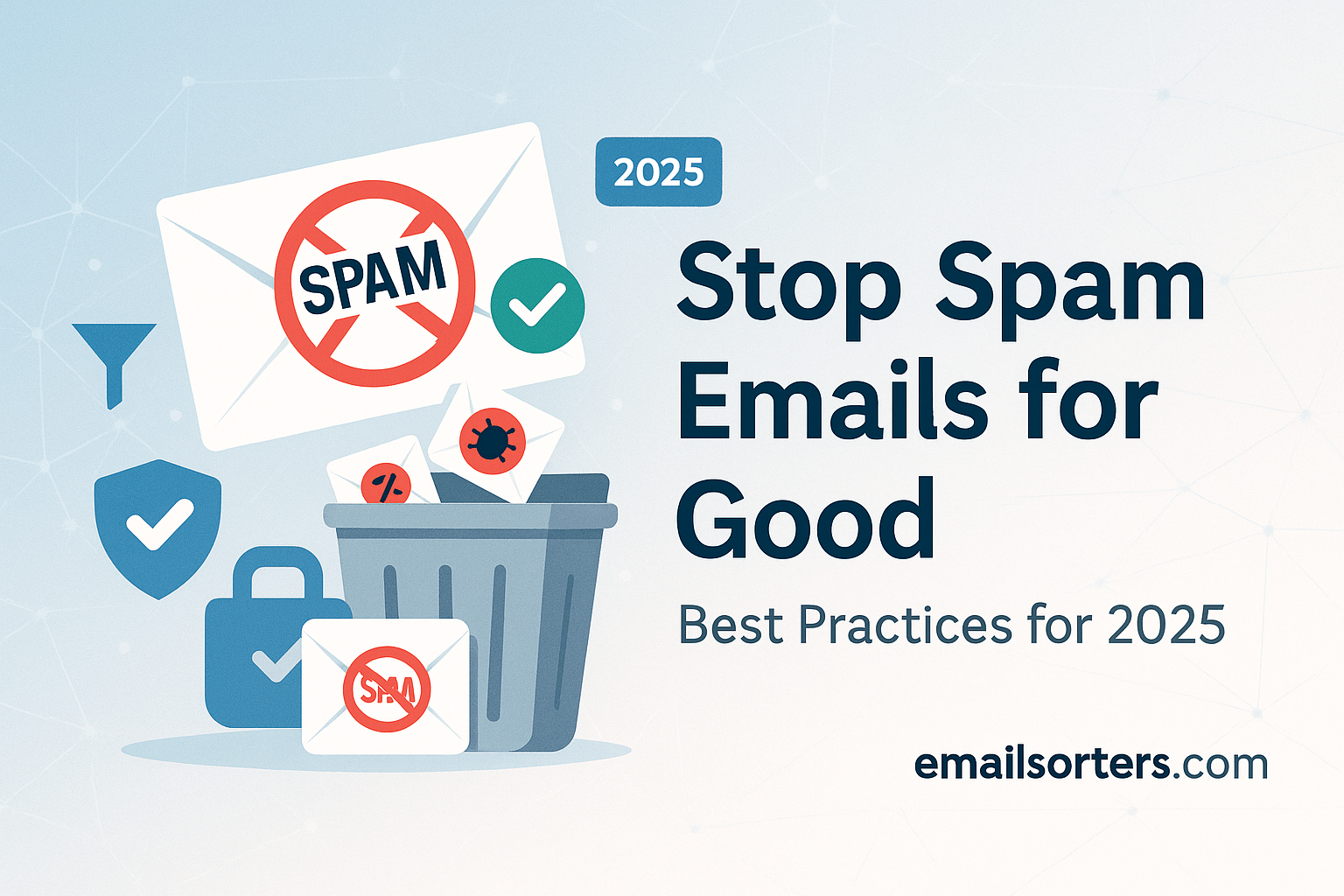
Stop Spam Emails is more than just annoying it affects productivity, security, and mental focus. In today’s connected era, spam continues flooding inboxes with phishing scams, unwanted ads, and deceptive offers. Automated spam detection has improved, yet spammers remain persistent and creative. Many users miss important messages amidst the clutter. The rise of AI spam generation and impersonation tactics complicates filtering even further. Stopping spam isn’t just about tidying up your mailbox; it’s about protecting against scams, avoiding time wasted, and safeguarding sensitive information that could easily slip through.
Spam handling involves more than deletion. In 2025, users must adopt proactive habits such as reviewing settings, cleaning subscriptions, and employing layered safeguards. Spam also contributes to digital fatigue; seeing dozens of unwanted emails daily lowers trust in your inbox. For businesses, spam carries financial consequences by increasing bandwidth costs, eating into support resources, and reducing response rates. Viewing spam as a strategic challenge places you in control of your inbox environment rather than letting it control you.
How Spam Filters Work and How to Optimize Them
Spam filters today are powered by machine learning models that analyze metadata, content, and engagement signals. These systems assign a spam score to each message. If the score crosses a threshold, the email is shunted to a spam or junk folder. Bayesian engines learn from both global patterns and individual behavior. If enough users mark messages as spam, the model adapts to prevent similar delivery. Some platforms provide feedback loops so you can directly correct messages a click on “not spam” helps train the system.
For users seeking more control, creating custom filters or rules allows you to override default behaviours. You can whitelist trusted senders or domains, move newsletters to dedicated folders, or flag high-priority contacts. Many email services let you prioritize emails from known senders and ask notifications only for trusted messages. Recent research at Gmail and Outlook highlights how filters evolve with AI-driven insights. Maintaining clean lists of trusted contacts and regularly marking false positives helps refine the filter over time.
To learn about filtering logic, patterns, and tuning, refer to [Spam Filters What Are Spam Filters? Definition and How They Work]. That guide explains how providers classify messages and how user actions influence the system.
Key Best Practices to Stop Spam Now
Here is a list of essential steps you can take today to reduce spam significantly:
- Unsubscribe from unwanted mailing lists promptly by clicking the provided link and confirming removal.
- Use custom filters or rules to send emails from unknown domains directly to designated folders or auto-delete them.
- Block persistent senders using your email client’s block feature for addresses that repeatedly bypass filters.
- Keep your email address private avoid posting it publicly or sharing it with untrusted websites or forms.
- Use unique email addresses for sign-ups, such as aliases or disposable addresses, separating trusted contacts from unknown senders.
- Regularly clear out and archive newsletters even those you read, to improve overall signal for the filter.
- Avoid downloading suspicious attachments or clicking email tracking links from unknown sources.
- Enable two-factor authentication (2FA) on your primary email login to prevent unauthorized access or auto sign-ups.
- Review filter logs or quarantine reports weekly to catch misclassified messages that still matter.
- Educate yourself on evolving spam trends, including AI-generated messages and phishing impersonation.
These practices work together to reduce spam volume, strengthen filter accuracy, and protect your inbox from evolving threats.
The Role of Unsubscribe Links and Why They Should Be Honored
Clicking an unsubscribe link is the most effective way to stop email from legitimate sources. Ethical senders design campaigns to honor opt-out requests. According to email law guidelines, valid unsubscribe mechanisms must be honored within a specified timeframe. A functional unsubscribe link removes your address from future distributions, preventing further volume and filter signal degradation.
But misuse is possible. Some spammy emails include fake unsubscribe links that instead confirm your address or expose you to further risk. That’s why you must verify the source before clicking. Legitimate newsletters typically come from domains with proper authentication records or known providers. If the email seems suspicious, it’s safer to block the sender rather than click any link.
In 2025, many email clients automatically detect and label unsubscribe links as “safe” or offer one-click unsubscribe buttons in the message header. This feature simplifies the process and reduces concern about malicious redirect links. Still, vigilance is important ensure unsubscribe actions are genuine and not a trap.
For details on unsubscribe logic, legal requirements, and how links work in practice, see [Unsubscribe Link What It Is and How It Works]. That article explains how unsubscribe mechanisms are built and controlled.
Managing Unwanted Senders with Blocking
Blocking an email address or domain is a direct way to prevent any future messages from that source. Blocked senders bypass your inbox and spam folder to go straight into trash or get deleted automatically. Blocking is especially useful when dealing with repeated spam or unwanted content from persistent addresses that filtering may fail to catch.
Filters and blocking serve different roles: filtering works broadly, while blocking targets known offenders. Using both gives you layered protection. If an unwanted sender changes domains, you can block multiple variants. Some email clients let you block entire domains, not just addresses. This is helpful when spammers rotate email addresses but reuse the same domain.
Blocking ensures that repeat offenders no longer even reach spam folders, freeing you from the task of reviewing unwanted messages and improving overall inbox hygiene.
The Role of Email Throttling in Spam Management
Email throttling refers to rate-limiting outgoing messages from email services to prevent bulk or spam-like behavior. Providers may limit how many messages can be sent per minute or hour from a single account or IP address. Spammers often violate these limits, which triggers automated measures or raises spam flags.
Email throttling also impacts legitimate bulk senders. If you send newsletters or marketing messages, sending too many at once can trip throttling thresholds and harm deliverability. Spam filters may then treat the campaign as suspicious. Spammers rely on software that sends high volumes rapidly; throttling avoids punishing legitimate users while disrupting bad actors.
Educating yourself as a sender, or asking providers about sending limits, helps maintain a healthy sending practice. Consistent sending volumes, proper pacing of messages, and clear sender reputation maintenance help avoid triggering throttling or being lumped into spam behavior.
Staying Organized with Email Automation Tools
Setting Rules and Filters for Workflow Efficiency
Email automation is not just for marketers it’s a powerful tool for anyone aiming to declutter and manage their inbox. Automated rules can sort incoming emails into folders, prioritize important contacts, label newsletters, or delete messages matching certain criteria. This helps reduce the mental burden of scanning hundreds of emails daily, while also keeping your inbox in optimal condition.
Tools like Outlook’s “Rules” or Gmail’s “Filters” allow users to assign specific actions to emails based on sender, subject, keywords, or even attachment types. For example, a rule can move all messages containing the word “invoice” to a dedicated finance folder. This lets you focus on high-value messages and respond faster to what matters.
Automating these actions also enhances spam detection accuracy. As the system sees you consistently flag certain types of emails or move others to folders, it adapts and reduces misclassification. You’re training your email interface to serve you more intelligently without relying entirely on built-in filters.
Beyond built-in tools, third-party automation platforms can help sync email organization across multiple devices, link to task management software, or even trigger workflows like calendar events from incoming messages. Combined with good habits, automation ensures spam doesn’t pile up while your workflow stays smooth.
Why Email Hygiene Matters for Individuals and Businesses
Managing Subscriptions and Account Security
Email hygiene refers to keeping your inbox, accounts, and communication habits clean and secure. For individual users, this means regularly unsubscribing from unwanted services, reviewing contact permissions, and archiving or deleting old messages that no longer serve a purpose. The goal is not just to avoid clutter, but to reduce your digital exposure to spammers, trackers, and bots.
Many spam emails originate from breaches of websites where your email address was stored. Old accounts or unchecked subscriptions often serve as entry points for spam networks. The more your address circulates, the more likely it gets targeted. Keeping a limited number of trusted services and using different addresses for different needs dramatically reduces that exposure.
For businesses, poor email hygiene can damage brand reputation and increase costs. If your domain is flagged for spam, legitimate emails might be blocked by filters. It also increases bounce rates, lowers open rates, and triggers throttling mechanisms that affect the entire communication system. Ensuring opt-in practices, managing bounces, and cleaning email lists are essential steps for sustainable business communication.
Keeping your inbox tidy and secure also prevents accidental clicks on outdated phishing links, stops data leaks, and ensures smoother integration with productivity tools. The cumulative effect of small hygiene habits can make a huge difference in reducing spam and securing your communication space.
Security Considerations: Phishing vs Spam
How to Spot Scams Hidden as Spam
Spam and phishing are often lumped together, but there are important distinctions. Spam typically includes unsolicited marketing, newsletters, or bulk promotions. Phishing, on the other hand, is malicious by intent it aims to steal login credentials, install malware, or trick the user into taking risky actions.
In 2025, many phishing attempts are disguised as legitimate-looking spam. For example, an email that appears to come from a major bank or software provider might prompt you to “verify your account” via a fake link. These messages may bypass spam filters if they’re crafted well, making user awareness the last line of defense.
Recognizing a phishing email requires attention to small details. Look for incorrect sender addresses, unusual grammar, vague greetings (“Dear user”), and links that don’t match the claimed source. Always hover over links to see the real destination before clicking. Phishing often uses urgency or fear to pressure users into immediate action another red flag.
Even if an email lands in the spam folder, don’t assume it’s harmless. Many phishing emails are flagged as spam, and reviewing them without care could still lead to exposure. If in doubt, don’t click. Instead, verify directly with the company or service through a known website or phone number.
Protecting yourself from phishing also involves using multi-factor authentication (MFA), updating software regularly, and training staff or family members to recognize deceptive email behavior.
Tools and Services That Complement Email Providers
Third-Party Spam Catchers, Firewalls, and Extensions
Most modern email platforms include built-in spam detection, but for users seeking higher security or better customization, third-party tools can fill the gaps. These tools act as an additional layer of defense filtering threats before they even reach your inbox or improving how spam is handled once received.
Anti-spam software like MailWasher, SpamTitan, and Zerospam provide enterprise-grade filtering for individual users or small businesses. These services operate on a cloud level or as browser add-ons, helping detect malicious links, misleading metadata, or address spoofing. Some also allow users to build custom filters based on sender reputation and email headers.
Firewalls, often associated with network security, can also play a role in email management. Gateway-level email firewalls filter emails before they reach internal systems, preventing DDoS attacks, malware delivery, or business email compromise (BEC) threats. They also help enforce compliance policies around spam protection.
Browser extensions, such as uBlock Origin or Privacy Badger, offer further safety by preventing tracking from email links and disabling ad-related scripts. These are particularly useful for users who click through newsletters or use webmail clients regularly.
While no tool is perfect, layering protection dramatically reduces the chances of encountering dangerous or persistent spam. Choose tools with good reputations, transparent privacy policies, and regular updates to handle evolving threats effectively.
Evaluating Source Reputation for Future Prevention
Using Blacklists and Domain Scores
Email systems increasingly rely on sender reputation to decide which messages to deliver. Reputation is shaped by spam reports, bounce rates, domain age, and technical configurations like SPF and DKIM records. A poor score means messages are likely to be blocked, filtered, or ignored even if they’re legitimate.
Reputation-based filtering protects users from mass spammers and phishing schemes. Services like SenderScore, Talos Intelligence, and MXToolbox allow anyone to check the reputation of an IP address or domain. If you’re unsure about a sender, use these tools to evaluate their trustworthiness.
In some cases, users can request a review or delisting from blacklists. If a domain was wrongly flagged due to temporary behavior, providers like Google and Microsoft offer dispute forms. This is useful for small businesses or newsletter creators who find their messages marked as spam without clear cause.
Keeping track of which senders frequently end up in spam also helps you train your filters. If the same domains always send irrelevant content, consider blocking or unsubscribing. If it’s a domain you want to trust, whitelist it or create a filter to mark it safe.
Understanding sender reputation is one of the most effective ways to control spam long-term, especially in business or shared environments.
Trends in Spam Evolution and Emerging Threats
AI‑Generated Spam and Deepfake Messages
Spam tactics are evolving quickly, and 2025 has seen a surge in new forms of deceptive content. One major shift is the growing use of AI-generated emails. These messages mimic human writing patterns so well that traditional filters struggle to detect them. They often contain no misspellings, avoid obvious spam phrases, and may even respond to previous messages using language models.
Unlike typical spam, AI-generated emails may be personalized addressing you by name, referring to your location, or using phrasing you’ve interacted with before. This makes them harder to spot and more likely to trigger a response. Some attackers even use past leaks or scraped data to craft messages that feel authentic, such as referencing your employer, a recent purchase, or social media activity.
Even more concerning are deepfake email attachments and voice notes, which use synthetic audio or video to impersonate real people. For example, a CEO might appear to request a wire transfer using an AI-generated voice message. These hyper-realistic spoofs are difficult for both humans and machines to verify.
To defend against these threats, users and organizations must upgrade their detection methods. That includes using behavior-based filters, anomaly detection, and human verification workflows. Companies now train employees on recognizing AI-spam indicators, such as overly generic responses, emotion-laden phrasing, or unusual timing patterns.
This shift in spam content forces everyone from individuals to corporations to stay alert. Email security in 2025 is no longer just about volume it’s about sophistication. As spammers adopt generative AI and synthetic identity tools, your awareness becomes the final safeguard.
Regulatory Responses and Industry Standards
In response to these developments, regulatory bodies and industry leaders are strengthening standards. Governments are updating laws to cover synthetic communications, especially those used for impersonation or fraud. Organizations that fail to detect or mitigate AI spam may face regulatory scrutiny, especially in industries handling sensitive data like finance and healthcare.
Big tech platforms are also collaborating on shared blocklists, domain validation protocols, and message authentication standards. These measures include enhanced SPF/DKIM/DMARC enforcement, as well as domain reputation scoring that incorporates AI-behavioral flags. Industry-wide standards now promote proactive threat sharing across email providers.
Some countries are pushing for mandatory AI-content disclosures in emails to flag synthetic generation. This may evolve into standardized headers or metadata tags that help filters and recipients assess message authenticity. These initiatives reflect a broader effort to build trust in digital communication and mitigate misuse of emerging technologies.
While spam won’t disappear, these evolving standards are tightening the window of opportunity for abuse and helping everyday users keep inboxes clean.
Summary and Key Takeaways
Spam remains a persistent challenge in 2025, but it’s not unbeatable. What used to be an annoyance has now evolved into a complex web of phishing, impersonation, and AI-driven manipulation. To truly stop spam emails for good, you need a proactive strategy built around awareness, automation, tools, and security.
First, understand how spam filters work and actively train them with your actions. Customize your inbox rules and use blocking where necessary. Protect your email hygiene by avoiding random sign-ups, using disposable or segmented addresses, and unsubscribing wisely.
Automation tools offer powerful support setting up filters, labeling patterns, or routing messages into folders. Complement these with third-party anti-spam software and strong security habits. If a message looks strange, slow down. Never assume filters are foolproof, especially when facing AI-crafted threats.
Spam is evolving, but so are the tools to fight it. Regulators and platforms are responding with smarter standards. Meanwhile, users who stay informed and disciplined will find their inbox not only cleaner but safer, more efficient, and far more reliable.
FAQs
Can spam ever be fully eliminated?
While spam may never completely disappear, adopting layered defenses like filters, rules, and blocking can reduce it to a negligible level. The key is staying consistent and updating your approach as new threats appear.
How often should I review my spam filter settings?
Reviewing your spam settings every 2–3 months ensures accuracy. Check for false positives, adjust rules, and review blocked senders to keep your filter aligned with your current needs.
Are unsubscribe links safe to click?
They can be, but only if the email is from a verified and trusted source. Always inspect the domain before clicking. For untrusted emails, it’s safer to block the sender.
What is the difference between blocking and filtering?
Blocking prevents emails from reaching your inbox at all. Filtering moves them based on conditions you set. Blocking is more aggressive, while filtering offers more flexibility.
Can email automation accidentally increase spam?
Yes, especially if you’re auto-forwarding or misclassifying emails. Poorly configured automation may even open you up to spam loops. Always test automation rules before full use.