Email remains one of the most important tools for professional communication. But while many people focus on writing initial emails, the way you reply is just as important. A thoughtful reply can strengthen relationships, prevent misunderstandings, and show professionalism, while a careless or rushed response can create confusion or even harm your credibility.
In this guide, we’ll explore step-by-step how to write clear, respectful, and effective email replies for every situation you may encounter in 2025.
Why Email Reply Etiquette Matters in 2025
The digital workplace has made email the backbone of professional interaction, especially in remote and hybrid environments. How you reply reflects your professionalism and shapes how others perceive you.
Setting the Tone for Professional Relationships
A well-written reply shows that you value the recipient’s time and message. Whether replying to a client, colleague, or supervisor, your tone sets the stage for future interactions.
Preventing Misunderstandings
Vague or rushed responses often create more questions than answers. Clear, structured replies reduce the risk of miscommunication and ensure both parties are on the same page.
Building Trust and Respect
Timely, respectful replies demonstrate reliability. When people know they can count on you to respond clearly, they’re more likely to trust and respect you.
The Golden Rules of Email Reply Etiquette
Following a few golden rules ensures that every reply you send adds value to the conversation.
Responding Within a Reasonable Timeframe
In most professional settings, replying within 24–48 hours is standard. If you need more time to provide a full answer, acknowledge the email and let the sender know when they can expect a complete response.
Using Clear and Polite Language
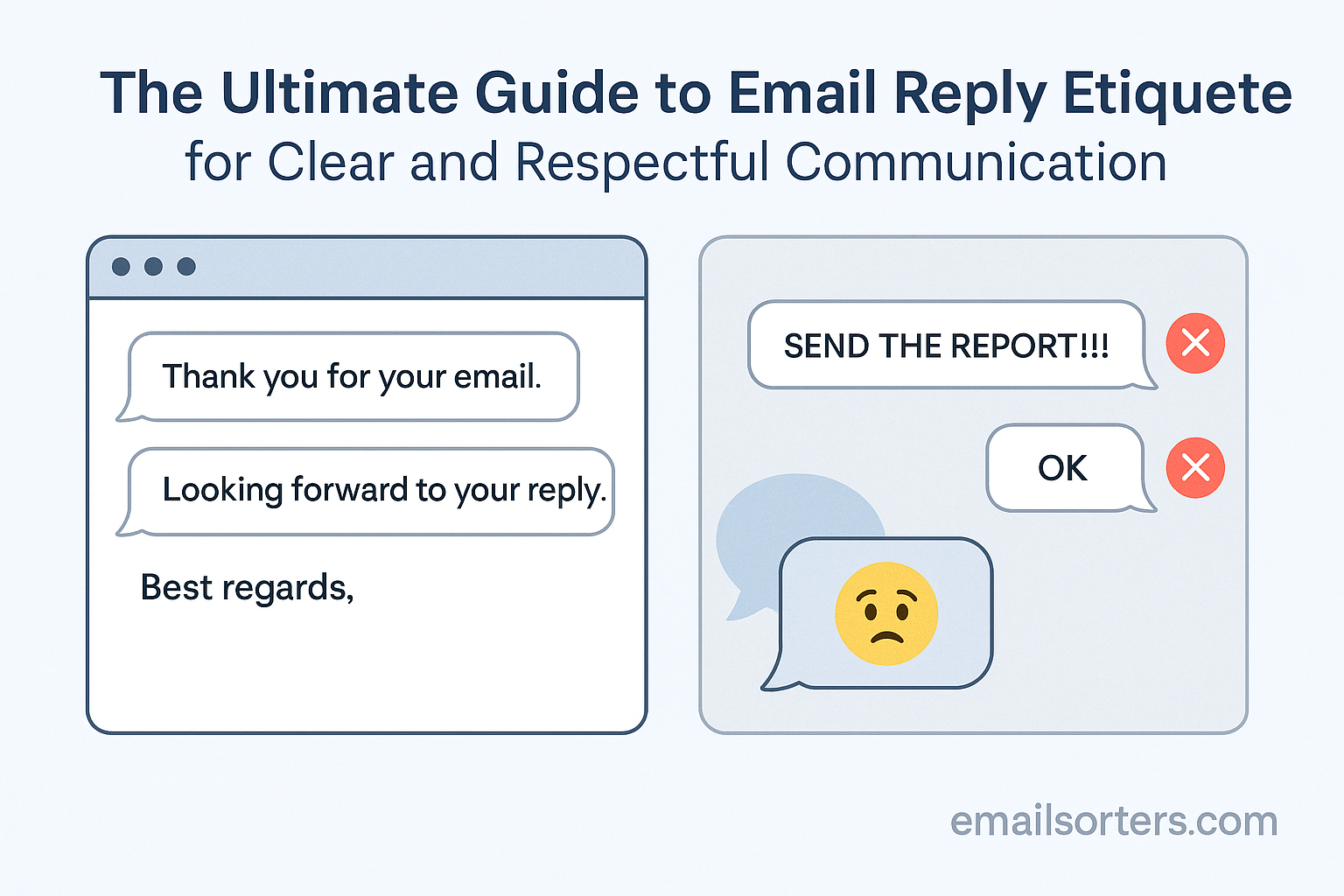
Always aim for respectful and straightforward language. Replace casual phrases like “Got it” with more professional responses like “Thank you, I’ve received your message.”
Keeping Replies Focused and Relevant
Stick to the point. Long, meandering replies can overwhelm the reader. Address the sender’s questions or concerns directly and avoid unnecessary details unless they add clarity.
Structuring a Professional Email Reply
A professional reply should have a clear structure so the recipient can quickly understand your message.
Acknowledging the Original Message
Begin by recognizing the sender’s email. A simple “Thank you for reaching out regarding [Topic]” shows attentiveness and courtesy.
Addressing Questions or Requests Directly
Answer the sender’s questions in the order they were asked if possible. This makes your reply easier to follow and ensures nothing is overlooked.
Ending with a Clear Closing Statement
Conclude with a polite closing that either confirms next steps or leaves the door open for further communication. For example: “Please let me know if you need any additional information.”
Tone and Language in Email Replies
Tone plays a significant role in how your message is received. Even if your content is clear, the wrong tone can lead to misunderstandings.
Balancing Formality and Friendliness
Too formal may come across as stiff, while too casual can seem unprofessional. Aim for a respectful yet approachable tone that matches the recipient and context.
Avoiding Ambiguity in Responses
Be specific in your wording. Instead of saying, “I’ll get to this soon,” say, “I’ll send the updated report by Friday at noon.” This removes uncertainty.
Using Professional Greetings and Closings
Begin with greetings like “Dear Mr. Lopez” or “Hello Sarah,” and end with closings like “Best regards” or “Sincerely.” Consistent professionalism reinforces respect.
Handling Different Types of Email Replies
Different recipients require different approaches. Tailoring your response ensures it fits the situation.
Replying to Colleagues
For colleagues, a semi-formal tone is often appropriate. Be clear and polite, but you don’t need to be overly formal unless the subject is sensitive.
Replying to Clients or Customers
Clients expect a higher level of professionalism. Acknowledge their concerns, provide detailed answers, and ensure your tone is respectful and reassuring.
Replying to Supervisors or Senior Executives
Keep replies concise and professional. Show respect by answering promptly and clearly, and avoid casual language unless you know it’s acceptable.
Replying to Cold Emails or Introductions
If the email is from someone you don’t know, respond courteously even if you’re declining. A polite “Thank you for reaching out, but we’re not pursuing new vendors at this time” maintains professionalism.
When to Use “Reply All” vs. “Reply”
One of the most overlooked aspects of email etiquette is knowing when to use “Reply All.” Sending unnecessary mass replies can clutter inboxes and frustrate recipients, while failing to include the right people can leave others uninformed.
Avoiding Unnecessary Mass Replies
Only use “Reply All” when everyone copied on the original email truly needs to see your response. For example, confirming your attendance at a meeting may not require everyone’s attention. In that case, reply only to the sender.
Knowing When Reply All Is Appropriate
Use “Reply All” when your response provides information relevant to the whole group. For example, if a manager asks the entire team for project updates, sharing your update with everyone ensures transparency.
Managing Group Email Threads Respectfully
Keep group replies concise and professional. Avoid long side conversations in group threads; if needed, continue the discussion privately with the relevant person.
Email Reply Timing and Professional Boundaries
Timeliness is a key part of email etiquette, but boundaries are just as important to prevent burnout and maintain work-life balance.
Standard Response Timeframes
In professional settings, aim to respond within 24–48 hours. If you can’t provide a full answer right away, send a short acknowledgement like, “I’ve received your email and will get back to you by [specific time].”
Handling After-Hours Emails
If you receive emails outside of working hours, you don’t always need to reply immediately. Consider waiting until business hours unless the matter is urgent. For recurring situations, communicate your availability clearly with colleagues.
Using Out-of-Office Replies Correctly
Out-of-office messages aren’t just for vacations. Use them when you’ll be unavailable for more than a day. A clear message that includes when you’ll return and who to contact in your absence prevents misunderstandings.
Common Mistakes in Email Replies
Mistakes in replies can weaken professionalism and harm credibility. The good news is that most are easy to avoid with a bit of attention.
Ignoring Key Questions
Leaving questions unanswered creates frustration and often leads to more emails. Read the original message carefully and make sure you address each point.
Using Vague or Rushed Responses
Short, unclear replies like “Sure” or “Will do” can leave the sender confused about next steps. Instead, clarify what you’re agreeing to and provide any needed details.
Forgetting Attachments or Links
Nothing is more frustrating than receiving an email that says “Please see attached” with no attachment. Before sending, double-check all files and links mentioned in your reply.
Templates for Professional Email Replies
Having a few ready-to-use templates can make replying easier while ensuring professionalism.
Confirming Receipt of a Message
Subject: Re: [Original Subject]
Dear [Recipient Name],
Thank you for your email regarding [Topic]. I’ve received your message and will review it. I’ll follow up with you by [Date/Time].
Best regards,
[Your Full Name]
Providing Requested Information
Subject: Re: [Original Subject]
Dear [Recipient Name],
As requested, I’ve attached [Document/Report]. Please let me know if you need additional details or clarification.
Sincerely,
[Your Full Name]
Politely Declining a Request
Subject: Re: [Original Subject]
Dear [Recipient Name],
Thank you for reaching out. Unfortunately, I’m unable to [Fulfill Request] at this time. I appreciate your understanding, and I hope we can collaborate on future opportunities.
Kind regards,
[Your Full Name]
Requesting More Time to Respond
Subject: Re: [Original Subject]
Dear [Recipient Name],
Thank you for your email. I’ll need a bit more time to gather the necessary information. I’ll provide a full response by [Date].
Best,
[Your Full Name]
Tools to Improve Email Reply Management
Managing replies efficiently often requires more than discipline—it requires smart tools.
Email Tracking and Reminders
Tools like Boomerang, Yesware, or Outlook’s follow-up features let you set reminders for unanswered emails, ensuring nothing slips through the cracks.
Templates and Auto-Responses
Platforms like Gmail and Outlook allow you to create canned responses or templates for common replies. This saves time while keeping responses consistent and professional.
Collaboration Tools to Reduce Email Volume
Sometimes the best reply is no reply—because the conversation doesn’t need to happen over email. Using platforms like Slack, Microsoft Teams, or Asana can reduce unnecessary email threads and keep projects organized.
Email Reply Etiquette in Remote and Hybrid Work
Remote and hybrid work have made email even more central to communication, but they also bring unique challenges for etiquette.
Respecting Different Time Zones
When working with colleagues across regions, avoid assuming they operate in your time zone. A message sent at the end of your workday could arrive in the middle of their night. Scheduling replies to align with their business hours shows respect and increases the likelihood of timely engagement.
Avoiding Overcommunication
With fewer in-person conversations, some professionals overuse email to stay connected. Instead of sending multiple short replies, aim to consolidate your responses into one well-structured email. This keeps inboxes manageable and reduces confusion.
Using Alternatives to Email When Appropriate
Not every discussion needs to happen via email. Quick clarifications or urgent matters are often better handled through a chat platform or a short call. Using the right channel prevents unnecessary back-and-forth replies.
Cultural Sensitivity in Email Replies
Email etiquette is not one-size-fits-all. Cultural awareness ensures your replies are well-received across different regions.
Adapting Formality Levels Internationally
In some cultures, formal greetings and titles are expected, while in others, first names and a friendly tone are more common. Observe how the recipient communicates and adapt accordingly.
Avoiding Idioms and Region-Specific Phrases
Phrases like “hit the ground running” or “touch base” may confuse non-native speakers. Clear, literal language ensures your message is understood universally.
Understanding Different Expectations for Response Time
In certain regions, quick replies are a sign of respect, while in others, longer response times are considered normal. Being aware of these expectations helps you manage relationships effectively.
Reviewing Your Reply Before Sending
Before hitting send, always review your reply carefully.
Checking Tone and Clarity
Ask yourself whether your reply sounds respectful and whether your points are easy to follow. Reading your email aloud can help catch unclear phrasing or unintended tone.
Proofreading for Grammar and Spelling
Typos and grammatical errors can make even a thoughtful reply look careless. Use grammar tools or proofread manually to ensure accuracy.
Confirming All Attachments and Links Work
If you reference a file or link, double-check it’s included and functioning. A missing attachment can delay progress and create frustration.
Advanced Tips for Email Reply Success
Mastering the basics of email etiquette is essential, but a few advanced techniques can make your replies even more effective.
Using Short Paragraphs for Readability
Large blocks of text can overwhelm readers. Breaking your reply into short, focused paragraphs makes it easier to scan and understand quickly.
Adding Brief Context When Necessary
If your reply is part of an ongoing thread, include a short recap so the recipient doesn’t have to scroll through the conversation. For example: “Regarding the marketing proposal we discussed last week…”
Reinforcing Positive Relationships Through Replies
Take the opportunity to strengthen professional relationships by showing appreciation. Phrases like “I appreciate your input” or “Thank you for your quick response” foster goodwill and encourage continued collaboration.
Conclusion
Email replies may seem routine, but they play a critical role in professional communication. In 2025, where remote and hybrid work dominate, the way you respond can shape relationships, prevent misunderstandings, and reinforce your credibility.
By following clear etiquette—replying promptly, maintaining a respectful tone, and addressing all points—you ensure your messages are both effective and professional. Adding cultural sensitivity, reviewing before sending, and applying advanced tips like short paragraphs and context summaries further improves your communication.
Think of every reply as an extension of your professional reputation. With the right approach, your emails won’t just answer questions—they’ll build trust, strengthen connections, and support your long-term success.
FAQs
How quickly should I reply to a business email?
Within 24–48 hours is standard. If you need more time, acknowledge the email and share when the recipient can expect a full response.
Is it rude to send a very short reply?
Not if it’s clear and polite. For example, “Thank you, I’ll review this and get back to you by Friday” is short but professional. Avoid one-word replies like “Okay.”
When should I use an out-of-office auto-reply?
Anytime you’ll be unavailable for more than a workday. Include the return date and an alternative contact if urgent matters arise.
How do I handle emails I can’t answer immediately?
Send a brief acknowledgment: “Thanks for your message. I’ll gather the needed information and get back to you by [Date].” This shows you’ve seen the email and are working on it.
Should I always include a signature in replies?
Yes, especially in professional contexts. A signature with your name, role, and contact details ensures the recipient can reach you through multiple channels.