Choosing between gemini vs chatgpt is no longer just a choice between chatbots; it is a strategic decision about your digital productivity ecosystem. In 2026, the AI landscape has matured into two distinct philosophies. ChatGPT (OpenAI) has leaned into being the “Reasoning King,” a specialized intelligence engine that excels at complex, multi-step problem solving and highly creative, human-like dialogue. Google Gemini, conversely, has positioned itself as the “Ecosystem Giant,” a multimodal powerhouse that lives inside your Gmail, Docs, and Android devices to streamline your existing work life.
The right AI productivity tool comparison hinges on your “digital center of gravity.” If your workflow revolves around deep thinking, coding, and the creation of custom AI “GPTs” to handle specific niche tasks, ChatGPT is often the superior tool. However, if your day is spent inside Google Workspace—managing spreadsheets, summarizing endless email threads, and researching via live web data—Gemini’s native integration offers a “no-copy-paste” workflow that saves hours of operational friction. You are essentially choosing between a highly sophisticated, independent “thinking partner” and a deeply integrated, multimodal “digital assistant.”
ChatGPT vs Google Gemini: Quick Decision Summary
The choice between google gemini vs chatgpt depends on whether you value reasoning depth or ecosystem convenience. ChatGPT is the best AI assistant decision snapshot for users who need advanced reasoning, creative writing, and complex coding support. Google Gemini is the better choice for those who are heavily invested in the Google ecosystem and require the ability to analyze massive documents (up to 2M tokens) and multimodal data natively.
| Feature | ChatGPT (v5.2) | Google Gemini (v3.0) |
| Primary Strength | Deep Reasoning & Creativity | Ecosystem Integration & Multimodality |
| Context Window | 128K – 200K Tokens | 1M – 2M Tokens |
| Ecosystem | Independent (Custom GPTs) | Google Workspace & Android |
| Multimodal | Sequential (Text to Image/Video) | Native (Text, Image, Video, Audio) |
| Best For | Coding, Writing, Complex Logic | Research, Data Extraction, Workspace |
| App Support | Browser, Mobile, Windows/Mac | Browser, Android, iOS, Workspace |
| Search Access | Browsing via Bing/OpenAI | Native Google Search Integration |
What Is ChatGPT?
ChatGPT is a conversational AI assistant that has redefined human-computer interaction through its focus on reasoning and creative fluidity. In 2026, it serves as a generative AI productivity tool for those who need a partner for “blank page” problems. Whether you are writing a nuanced legal brief, debugging a multi-file software repository, or brainstorming a marketing campaign, ChatGPT’s language models (like GPT-5.2) provide a level of coherence and “style” that often feels more human than its competitors.
As an AI reasoning assistant, ChatGPT’s core advantage is its ability to follow long, complex instructions without losing the thread of the conversation. Its “Canvas” feature allows for real-time collaborative writing and coding, where you can edit the AI’s output directly in a side-by-side window. For power users, the ability to build Custom GPTs—personalized mini-apps with specific knowledge and instructions—makes it a highly versatile AI writing and coding assistant that adapts to your unique professional requirements.
What Is Google Gemini?
Google Gemini is a multimodal AI assistant designed to be the “brain” of the Google ecosystem. Unlike other models that were retrofitted with vision and audio capabilities, Gemini was built from the ground up to understand text, images, video, and audio simultaneously. This makes it an ecosystem-integrated AI assistant that can “see” a YouTube video and “hear” a meeting recording while summarizing a 50-page PDF, all in a single prompt.
Its true value lies in Workspace integrated AI. Gemini lives in the sidebar of your Google Docs, Gmail, and Sheets. It can draft email replies based on previous conversations in your inbox or extract data from a PDF directly into a Google Sheet without you ever leaving the tab. With a massive context window of up to 2 million tokens, it is a search connected AI assistant that can “read” your entire Google Drive archive to find a single piece of information, making it the ultimate research and information retrieval engine for 2026.
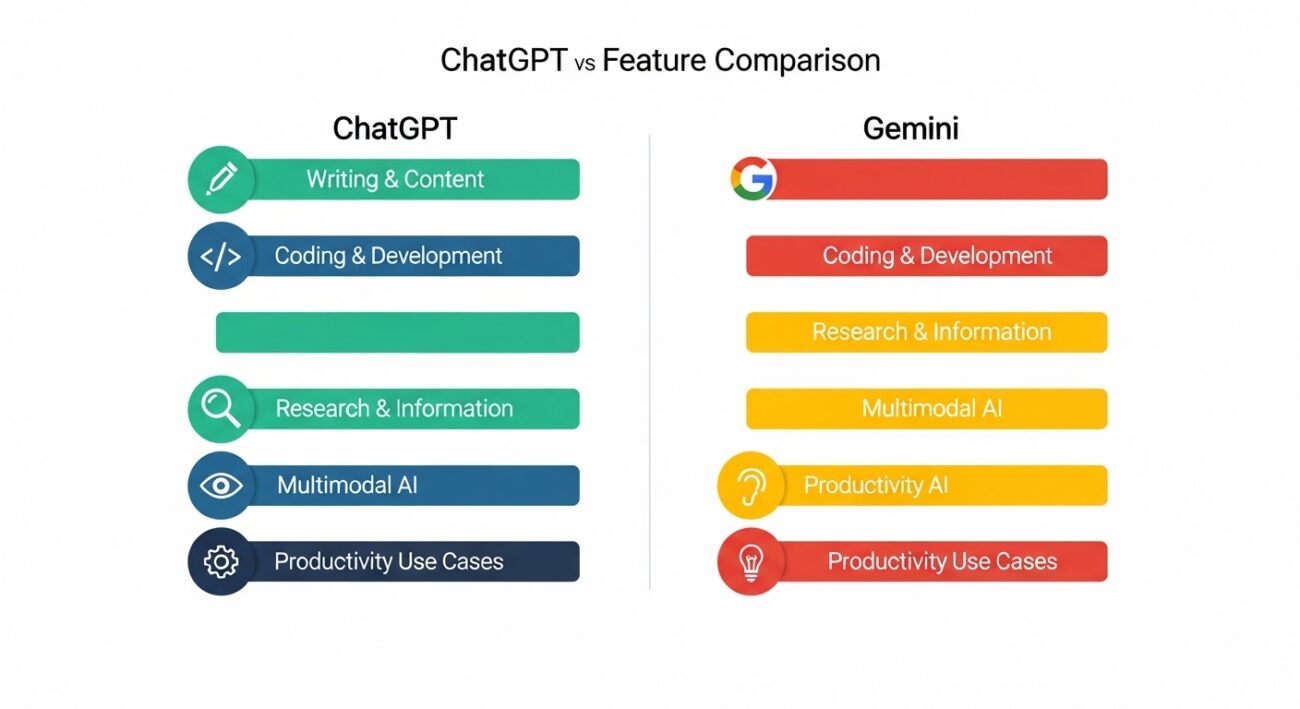
ChatGPT vs Gemini: Feature Comparison
When you compare ahrefs and semrush for SEO, you look at data; when you compare chatgpt vs gemini, you look at workflow efficiency.
Writing & Content Creation
Gemini vs chatgpt writing styles differ significantly. ChatGPT is generally more creative and “warm,” making it better for blogs, stories, and scripts. Gemini is more “literal” and factual, excelling at summaries, professional emails, and structured reports based on real-time web data.
Coding & Development
ChatGPT remains the favorite for developers due to its “idiomatic” code generation and superior debugging logic. However, Gemini 3 has a “Context King” advantage; you can upload an entire codebase (up to 2M tokens) and ask Gemini to explain how a specific function works across 100 different files—a feat ChatGPT’s smaller context window still struggles with.
Research & Information
Gemini’s Google AI assistant status gives it an edge in research. It uses Google Search’s “fan-out” technology to perform multiple searches at once, citing sources more consistently. ChatGPT’s “Deep Research” mode is powerful for synthesis but often lacks the “to-the-minute” freshness of Gemini’s live integrations.
Multimodal AI
Gemini handles video and audio “natively,” meaning it can understand the nuances of a person’s tone or the visual layout of a chart better than ChatGPT’s sequential processing. However, ChatGPT’s DALL-E 3 integration for image generation often produces more “artistic” and visually pleasing results than Gemini’s Imagen 4.
Productivity Use Cases
is gemini better than chatgpt for daily tasks? If those tasks involve your calendar, Gmail, and Google Maps, the answer is yes. Gemini can “find that flight info from my email and add it to my calendar.” ChatGPT is better for “off-platform” productivity, like creating a complex Excel macro or writing a script to automate your local files.
AI Model Intelligence & Reasoning
In 2026, AI reasoning comparison centers on “Chain of Thought” (CoT) stability. ChatGPT v5.2 uses a routing system that pauses to “think” before answering complex logic problems, leading to fewer hallucinations in math and legal summaries. Gemini 3 “Pro Thinking” has narrowed this gap significantly, showing superior performance in scientific simulations and long-horizon planning. While ChatGPT “feels” smarter in conversation, Gemini’s raw processing power for massive datasets is currently unmatched in the LLM reasoning capability comparison.
Google Ecosystem vs Independent AI Platform Approach
The AI platform integration strategy is the biggest fork in the road.
- The Google Way (Gemini): Total integration. Your AI knows your schedule, your files, and your emails. It’s convenient but requires you to stay within the “Google walled garden.”
- The Independent Way (ChatGPT): Tool flexibility. ChatGPT doesn’t care if you use Notion, Slack, or Microsoft 365. It provides a “neutral” reasoning layer that you can apply to any software via Custom GPTs or APIs.
Pricing Comparison
The AI tool pricing comparison for 2026 shows a standardized market with a few key differences:
- ChatGPT Plus ($20/mo): Includes access to GPT-5.2, DALL-E 3, Sora (video), and the ability to create and use Custom GPTs.
- Gemini Advanced ($19.99/mo): Includes 2TB of Google One storage and Gemini in Workspace (Docs, Gmail, etc.). This makes Gemini a better “value bundle” for those who already pay for cloud storage.
- Enterprise Tiers: ChatGPT Team ($25-30/user) focuses on shared Custom GPTs and data privacy. Gemini Business ($28/user) focuses on “copy-paste fatigue” reduction across Workspace.
Which AI Tool Is Better for Different Use Cases?
Use this AI tool use case selection guide to map the right bot to your role:
- For Developers: Choose ChatGPT. The iterative debugging and code interpreter features are more refined for hands-on coding.
- For Academic Researchers: Choose Gemini. The 2M token context window allows you to upload 20+ research papers at once and ask for a cross-analysis.
- For Marketing Teams: Choose ChatGPT. Its creative writing and “narrative” generation are consistently more engaging for social media and blogs.
- For Project Managers: Choose Gemini. The ability to summarize long email threads and auto-generate meeting notes in Docs is a massive time-saver.
When NOT to Choose ChatGPT
Do not choose ChatGPT if your primary bottleneck is “data movement.” If you find yourself constantly downloading PDFs and copy-pasting email text into a chat box, you are wasting time. Also, if you need to analyze massive files that exceed 200,000 tokens (roughly 150,000 words), ChatGPT will “forget” the beginning of the file by the time it reaches the end.
When NOT to Choose Gemini
Do not choose Gemini if you require highly creative, “un-robotic” writing. Gemini can sometimes feel dry or overly structured. Additionally, if you are a power user who values “Custom GPTs” for specific specialized tasks (like a dedicated “SEO Auditor” or “Regex Generator”), you will find Gemini’s “Extensions” model to be less flexible and harder to customize.
Future of AI Assistants: ChatGPT vs Gemini
The AI industry evolution suggests a move toward “AI Agents.” By the end of 2026, we expect both to act more autonomously. OpenAI is moving toward a “Closed Ecosystem” with its own browser and OS integrations, while Google is doubling down on “Antigravity”—an agentic platform that can perform multi-step tasks across all web apps. The battle will move from “who answers best” to “who does the most work for me.”
Final Verdict
The AI tool final decision is a choice of lifestyle:
- Choose Google Gemini if you want an AI that is “invisible”—working inside your Google apps to make your existing workflow faster and more data-driven.
- Choose ChatGPT if you want an AI that is “visible”—a powerful, creative, and highly intelligent partner that pushes the boundaries of what you can build and write.
For more deep dives into creative tools, check out our Canva vs Adobe Express comparison, or see how these AIs fit into your office suite in Google Workspace vs Microsoft 365.


